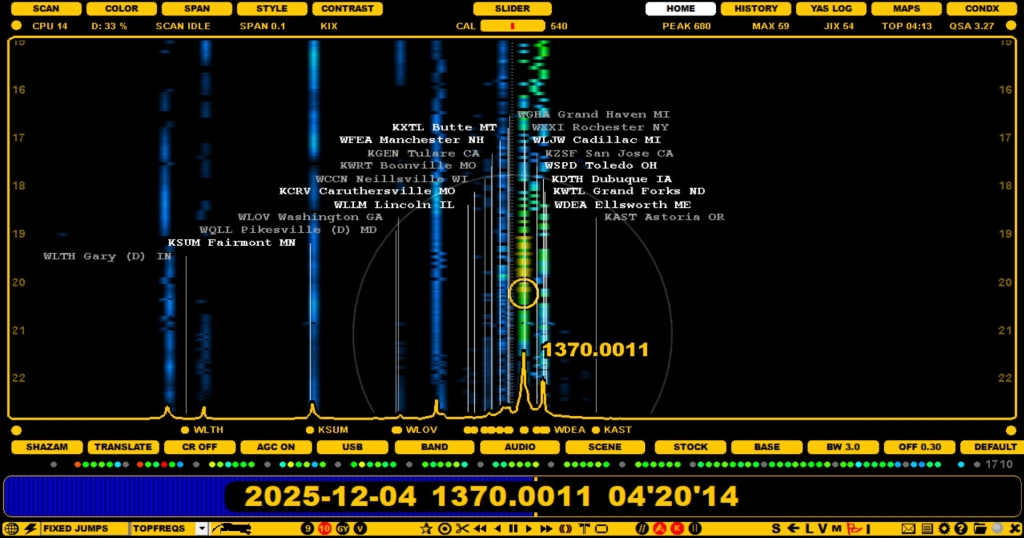
The FLAGS feature can be used to show the known offsets as vertical "flagpoles" on the SPECTRA displays. These flagpoles can be used on the displays to find matching spectrum tracks and thus help in the initial identification of the signal. However user should not trust too much on this feature: there are a lot of outdated or erroneous offsets listed so audio ID is still required for nailing the identity of any station. On the other hand FLAGS can offer a very useful tool for MW DXing.
FLAGS consist of the offsets logged to the MWLIST Offset database.
In addition, DXers can define "private offsets" which are not visible to others. The use of these private offsets is described in the SCENE help.
FLAGS can be displayed/hidden by pressing X or clicking the TOOLBAR > FLAGS icon.
By default, the flag color indicates how "fresh" the offset value is:
If you press the keyboard key ALT-X you can open/close the old "xmas tree" (= flags colored by your P-tags = other than P0). This way you can show only the stations that you have heard/tagged.
The number of listed GLOBAL flags can be huge on some frequencies and the display may be crowded by the flagpoles making the graphics cluttered. And many of the stations are unlikely to be heard in your QTH. That's why it is often useful to filter out the "unwanted" offsets from the result set. You can do it in several ways:
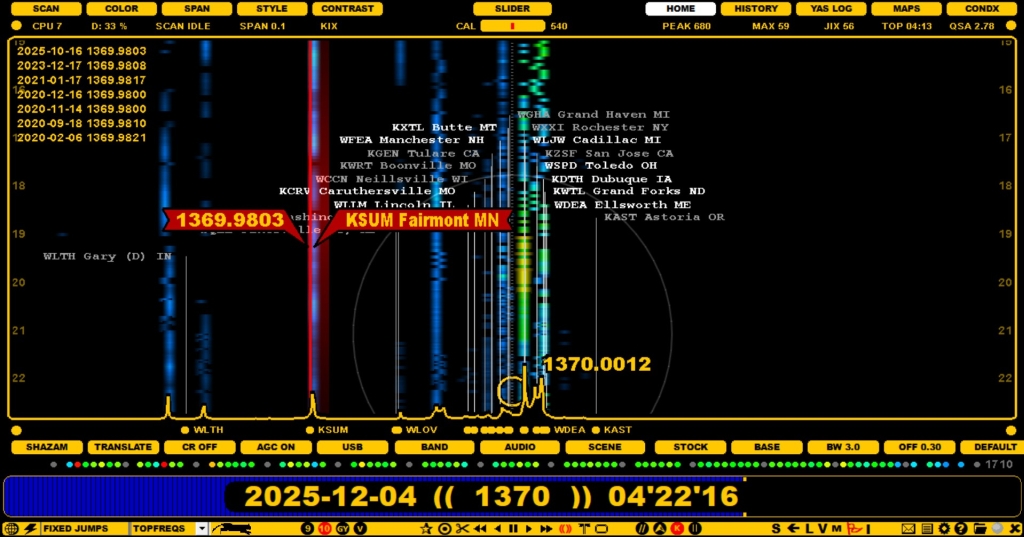
Each flag is positioned based on the last logged offset value. Many stations drift during time and if you are interested in seeing that variation, you can right click the flag: the known offset range is shown as a red overlay and the logging history can be seen on the left side of the display.
FLAGS can be displayed also on the MAPS display, but not on YAS LOG or CONDX displays.
If you notice that the current offset value of some offset flag is not on a correct position, it is highly recommended that you update the latest value to the MWLIST Offset database. It can be done easily via JAGUAR: see the details in the LOGGER help.