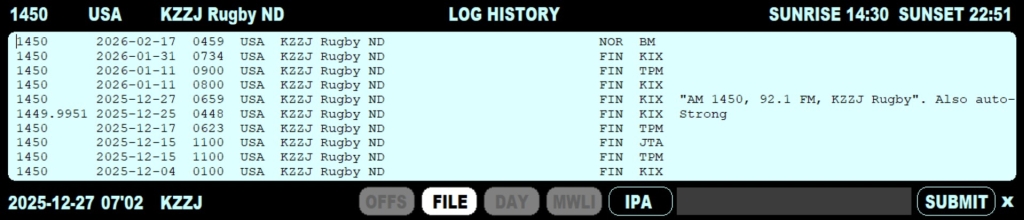
Logging has been made easy in JAGUAR: you can submit your loggings to many targets with one single click using LOGGER.
The classic logging to a text file supports several formats, and the logging format can be fully customized. JAGUAR's log file is named as LOG.CSV, and it is maintained in the LOGS folder under the JAGUAR installation folder.
In addition to the classic text-file based logging, JAGUAR supports the concept of DAYLOG (see DAYLOG for details). These day-based logs are named as DAY.LOG, and saved to the same day-folders where the recordings are being saved.
The MWLI users can also use the built-in logging interface to the MWLI logging database.
In addition, you can include also the offset to your logging and it will be automatically also transferred to the MWLI offset database. You can also submit only the offset logging itself (without making a standard logging to FILE/DAYLOG/MWLI).
On top of all this, JAGUAR's own CATBOOK documentation database captures loggings automatically. You will have the stations "marked" in TURTLE and on MAPS with a minimum effort.
The LOGGER window can be opened in four ways:
By default the logging target buttons (OFFS | FILE | DAY | MWLI) are grayed. Click any button to activate the target. These values will be remembered in the future, but you can change them also any time.
You can customize the log file format output using the LOGMODE custom parameter (see CUSTOM for details). In addition, logging to MWLI requires also an additional MWLI parameter as described in the CUSTOM help.
The log text window is small but also long log text can exceed the window size.
After you have filled the LOGGER data, click SUBMIT and JAGUAR asks for a confirmation and, if accepted, the logging will be sent to the selected targets.
After the station logging has been submitted, CATBOOK will be updated automatically as follows:
Note: if you just want to make a logging to DAYLOG, there is a faster way: see more information in the DAYLOG section.