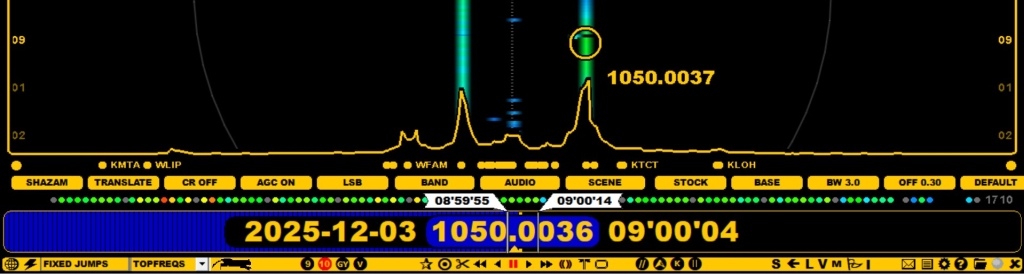
JAGUAR offers several ways of creating audio LOOPs to constantly repeat a small segment of audio:
Audio LOOPs are displayed on PLAYBAR with special flag markers.
The LOOP marker positions can be changed by moving the mouse over the marker flag. The flag color turns to red when ready for repositioning, and scrolling the mouse or pressing the left/right arrow keys.
Pressing SPACEBAR creates a "What Was It" audio loop. The default duration is 10 seconds.
You can release the audio loop (and their markers) by pressing the UP ARROW key once again, clicking TOOLBAR > LOOP once again, pressing SPACEBAR once again, or simply by pressing the ESC key.
If you have an audio LOOP defined, pressing the C key (= CLIPPER) will create an audio clip from the segment defined by the LOOP markers. If you instead click TOOLBAR > SCISSORS, you will get a small popup menu, from which you can select either CHOP (see CHOP for details) or CLIPPER.