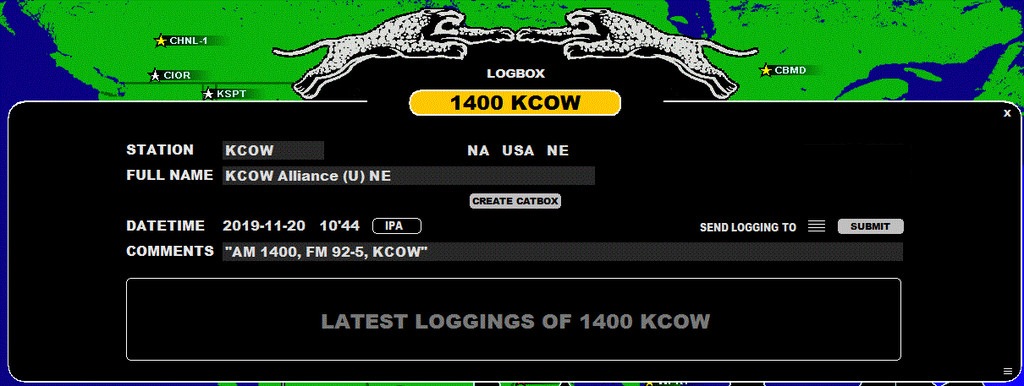
LOGBOX is a toolbox for making "standard loggings", see the OFFSETS section for information about "offset loggings".
The LOGBOX window can be opened in three ways:
You can submit a standard logging to several targets (= text file, DAYLOG, MWLI, CATBOOK) with one click.
Before submitting your logging, you must define these targets. Click the menu next to "SEND LOGGING TO" and check the desired targets:
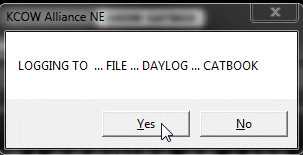
After you have made your target selection, click "Submit". The selection is remembered when making the next logging. JAGUAR asks for a confirmation and, if accepted, the logging will be sent to the selected targets.
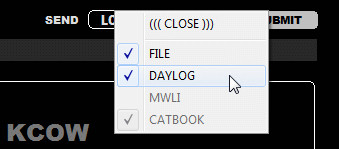 ...
... 
The window of "LATEST LOGGINGS OF ..." will be used in the future.
After the station logging has been submitted, CATBOOK will be updated automatically as follows:
This information can be seen in the CATBOX window.
Note: if you just want to make a logging to DAYLOG, there is a faster way: see more information in the DAYLOG section.