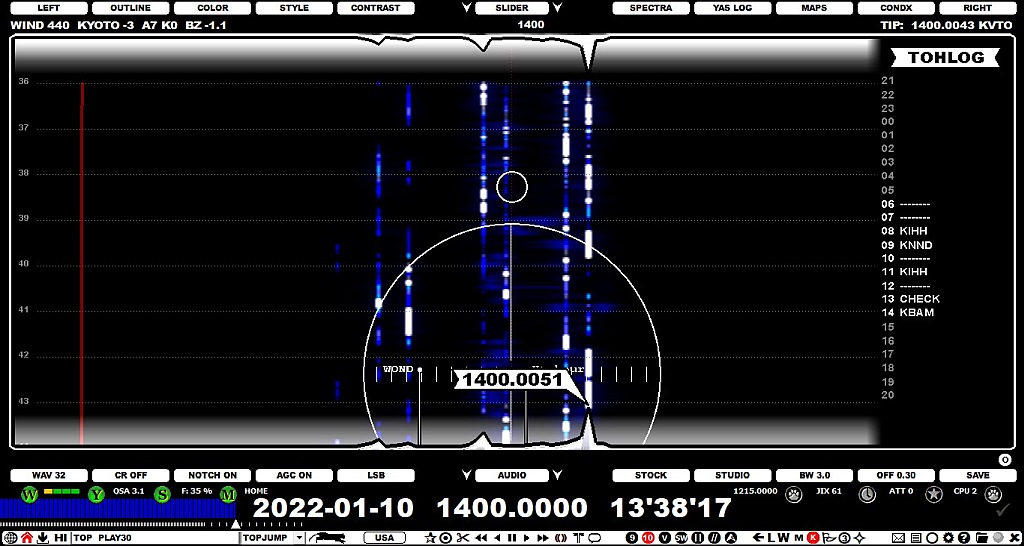
TOHLOG is a supertool for DXpeditions up in the North (where US stations often flood in from "doors and windows") and a quick pileup tool (and later the control of huge amount of recordings) is required. However TOHLOG does not offer much use (if any) for "casual home DXer".
TOHLOG is often used as part of DASHBOARD (see GUIDE > DASHBOARD for more details). Experienced MW DXers seldom add dominants/often heard stations to their DXpedition logs, but TOHLOG is recommended to be used for logging ALL stations audible at TOHs.
TOHLOG gives a quick summary of your listening activity on each frequency on a daily basis for each frequency and from TOHLOG you can easily see unusual reception periods giving tips where you should concentrate in studying areas outside the TOHs => you may want to check those areas with traditional listening before you jump to the "visual DXing" stage based on the SCAN results. Nobody listens to all minutes/all frequencies of the DXpedition files, that's why we collect the SCAN files.
TOHLOG can be enabled/disabled by clicking/scrolling SLIDER > RIGHT. When enabled, the right side of the display is allocated for TOHLOG. TOHLOG is also visible whenever DASHBOARD is opened via TOOLBAR > DASHBOARD (see DASHBOARD for more details).
TOHLOG offers a graphical GUI for maintaining the TOHLOG data, but there is also a faster way available for adding IDs to TOHLOG (see the bottom of this chapter).
By default TOHLOG shows only the TOH markers within the DX DAY (21, 22, 23, 00, ... up to 20 UTC) and if a TOH recording exists for any of the hours, the corresponding label is highlighted (other hours are presented as dim).
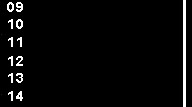
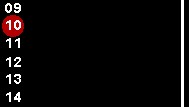
If you move the mouse cursor over any of the highlighted hours, you'll see a red ball marker and can jump to that TOH by clicking the ball.
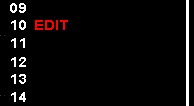
When studying the TOH ID you may hear one or more IDs on that specific TOH slot. If you move the mouse cursor next to the TOH hour label, "EDIT" text appears and after clicking that label you can add that ID/those IDs to the system.
In this example we are tuned to AM 1340 and the graveyard stations KDLM Detroit Lakes MN and KWLM Willmar MN were both identified at this same TOH. These call signs can be typed in to the edit box and after clicking SAVE the row is added to the system.
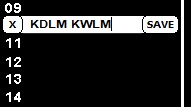
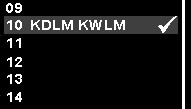
After you have studied the whole TOH (and saved the result), it can be marked as done: move the mouse a bit right and you'll see the whole row highlighted with a dim "DONE" checkmark.
Click the row and after that also the checkmark becomes highlighted as the final documentation that "this TOH on 1340 has been processed". You can decide yourself how you use this checkmark (if at all): the DONE marker can be used for the exact TOH spot announcements or to cover for example one minute before and after the TOH, or to cover the whole file containing the TOH. In fact, you can use this also marking the whole hour as "processed": DONE-markers help you to remember what TOHs/full hours you have already fully studied and what stations you have identified around the TOH.
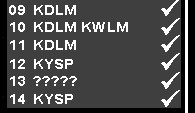
Little by little all those TOH spots will get analyzed and the final TOHLOG may look something like this.
Whenever you have a TOH file in playback (either in the ARCHIVE mode or in the LIVE mode), you can use a faster method adding the TOH IDs to TOHLOG directly using the plain keyboard. When a TOH file is active for playback ("TOH triangle" is visible on the PLAYBAR) and you have TOHLOG active, the DASHBOARD icon on the TOOLBAR a red color and the direct keyboard entry is possible.

In this mode you can just
We have found our that this is the optimal way of adding entries to the system both during the hectic DX pileup on a DXpedition and when studying the TOH files later at home.